

Hey there! As a supplier of SMB connectors, I've seen my fair share of issues when these connectors don't work as expected. It can be a real headache, but don't worry – I'm here to walk you through some troubleshooting steps.
Check the Physical Connection
First things first, let's start with the basics. A loose or improper physical connection is one of the most common reasons why an SMB connector might not work. Take a close look at the connector and the cable it's attached to. Make sure the connector is firmly plugged into its socket. Sometimes, just a little nudge can make all the difference.
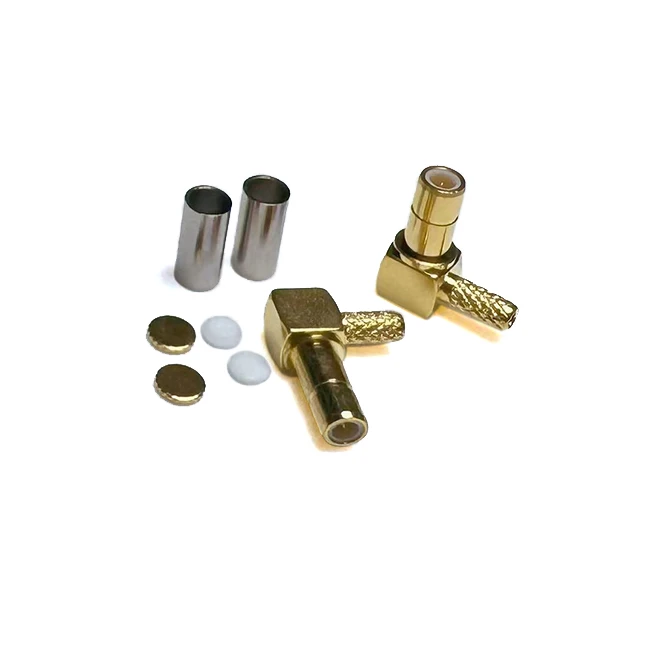
Inspect the connector for any visible damage. Look for bent pins, cracks in the housing, or any signs of corrosion. If you spot any damage, it's likely time to replace the connector. For example, if you're using an SMB Male Connector Right Angle for RG316 RG174 Crimp Type SMB - C - JW1.5 and the pins are bent, it won't make a proper electrical connection.
Also, check the cable itself. Make sure it's not frayed or cut. A damaged cable can disrupt the signal flow and cause the connector to malfunction. If you find any issues with the cable, you might need to replace it or repair it.
Clean the Connector
Dirt, dust, and oxidation can build up on the connector over time, which can interfere with the electrical connection. Cleaning the connector can often solve the problem. You can use a contact cleaner specifically designed for electrical connectors.
First, make sure the power is off to avoid any electrical shock. Then, spray a small amount of the contact cleaner onto a clean, lint - free cloth. Gently wipe the pins and the mating surfaces of the connector. Be careful not to apply too much pressure, as you don't want to bend the pins.
Let the connector dry completely before reconnecting it. This simple cleaning process can sometimes restore the proper functionality of the SMB connector. Whether it's an SMB Male Connector Bulkhead for RG316 RG174 Crimp Type SMB - C - JY1.5 or a different type, cleaning can make a big difference.
Verify the Compatibility
Another important factor to consider is compatibility. SMB connectors come in different types and specifications, and using an incompatible connector can lead to problems. Check the datasheets of both the connector and the device it's being connected to.
Make sure the impedance, frequency range, and other electrical characteristics of the connector match those of the device. For example, if the device requires a connector with a 50 - ohm impedance, using a connector with a different impedance can cause signal reflection and loss.
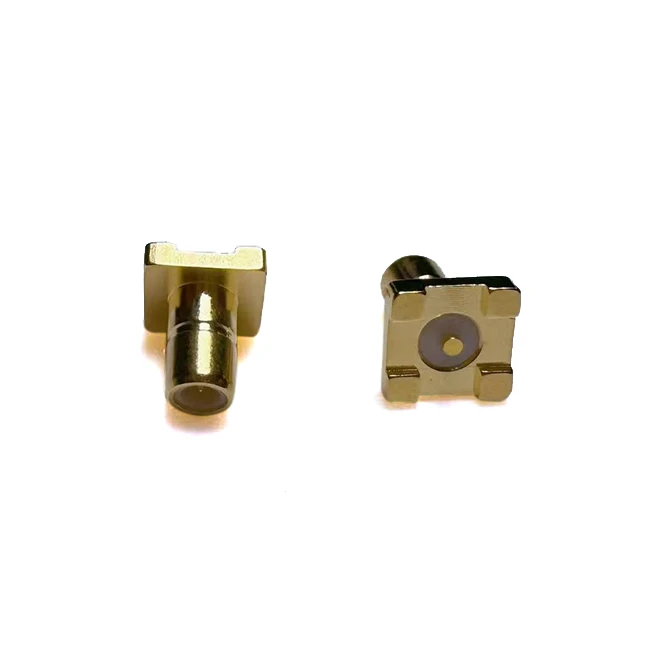
Also, check the mechanical compatibility. Ensure that the connector fits properly into the socket and that the mating surfaces are compatible. If you're using an SMB Connector Male Type SMT PCB Mount SMB - JE, make sure it's designed to be mounted on the specific PCB you're using.
Test the Signal
If you've checked the physical connection, cleaned the connector, and verified the compatibility, and the connector still isn't working, it's time to test the signal. You can use a signal generator and an oscilloscope to test the signal passing through the connector.
Connect the signal generator to one end of the cable with the SMB connector and the oscilloscope to the other end. Generate a test signal and observe the output on the oscilloscope. If the signal is weak, distorted, or not present at all, there might be an issue with the connector or the cable.
If the signal is weak, it could be due to a poor connection or a damaged cable. Try re - checking the connection and replacing the cable if necessary. If the signal is distorted, it could be a sign of impedance mismatch or interference.
Check for Interference
Interference can also cause problems with SMB connectors. Electromagnetic interference (EMI) and radio - frequency interference (RFI) can disrupt the signal passing through the connector. Look for sources of interference near the connector, such as other electronic devices, power cables, or wireless transmitters.
Try moving the connector and the cable away from these sources of interference. You can also use shielding to reduce the effects of EMI and RFI. Some SMB connectors come with built - in shielding, but if yours doesn't, you can add external shielding to the cable.
Review the Installation
Sometimes, the problem can be related to the installation process. Make sure the connector was installed correctly. If it's a crimp - type connector, ensure that the crimping was done properly. Improper crimping can lead to a poor electrical connection and signal loss.
If the connector is a surface - mount type, check the soldering. Look for cold solder joints, which can cause intermittent connections. A cold solder joint is one where the solder didn't flow properly and there's a weak connection between the connector and the PCB.
Seek Professional Help
If you've gone through all these troubleshooting steps and still can't get the SMB connector to work, it might be time to seek professional help. You can contact a technician or an engineer who has experience with SMB connectors. They can use more advanced testing equipment and techniques to diagnose and fix the problem.
At our company, we're always here to help. If you're having trouble with an SMB connector, whether it's an SMB Male Connector Right Angle for RG316 RG174 Crimp Type SMB - C - JW1.5, an SMB Male Connector Bulkhead for RG316 RG174 Crimp Type SMB - C - JY1.5, or an SMB Connector Male Type SMT PCB Mount SMB - JE, we can provide you with technical support and advice.
If you're in the market for SMB connectors or need to replace a faulty one, we've got a wide range of high - quality products to choose from. We're committed to providing excellent customer service and ensuring that you get the right connector for your needs. If you're interested in purchasing our SMB connectors or have any questions about our products, don't hesitate to get in touch with us for a friendly chat and to discuss your requirements.
References
- "RF Coaxial Connectors: Design, Testing, and Applications"
- Manufacturer's datasheets for SMB connectors